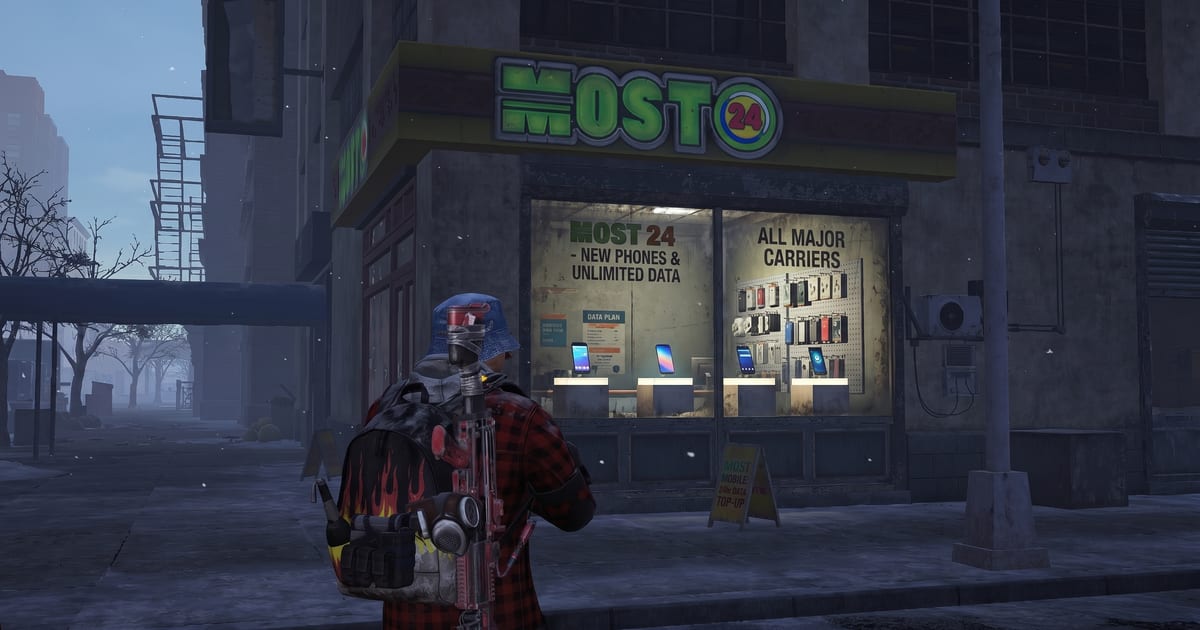
If you are trying to figure out whether your phone, tablet, or PC can actually run The Division Resurgence, this is the page. We pulled the requirements straight from Ubisoft, the App Store, and the official PC store listing, then cross-checked them against what players are reporting in the wild.
If Ubisoft has not confirmed something, we will say so.
Quick Answer
- Minimum RAM (mobile): 4 GB. (Ubisoft Help Center)
- Minimum iOS: iOS 14, with an A12 Bionic chip or newer. That means iPhone XS, XR, iPhone SE 2nd gen, or anything newer. (App Store)
- Minimum Android: Android 6. Your specific phone or tablet has to be on Ubisoft’s compatibility list. (Ubisoft Help Center)
- PC: Windows 11, free on Ubisoft Connect, around 17 GB download (Ubisoft recommends 30 GB free on an SSD). (Ubisoft)
- Cross-play and cross-progression: Fully supported between iOS, Android, and PC, as long as you use the same Ubisoft Connect account and the same regional server. (Ubisoft)
iPhone and iPad: The Official List
Apple’s App Store listing is the easiest place to check yourself: open the Division Resurgence App Store page on your device and scroll to Compatibility. If you do not see your device listed there, you cannot install it. Simple as that.
The current floor is iOS 14 and the A12 Bionic chip. Apple lists every supported iPhone and iPad in that listing, and Ubisoft’s own compatible device page mirrors it. Here is the short version:
iPhones that work:
- iPhone XS, XS Max, XR
- iPhone 11, 11 Pro, 11 Pro Max
- iPhone SE (2nd gen) and SE (3rd gen)
- iPhone 12 mini, 12, 12 Pro, 12 Pro Max
- iPhone 13 mini, 13, 13 Pro, 13 Pro Max
- iPhone 14, 14 Plus, 14 Pro, 14 Pro Max
- iPhone 15, 15 Plus, 15 Pro, 15 Pro Max
- iPhone 16, 16 Plus, 16 Pro, 16 Pro Max, 16e
- iPhone 17, 17 Pro, 17 Pro Max, 17e, iPhone Air
iPads that work:
The entire iPad Pro lineup back to the original 11-inch and the 3rd gen 12.9-inch, every iPad Air from the 3rd gen onward (including the new M3 and M4 models), every iPad mini from the 5th gen forward (including the A17 Pro), and every standard iPad from the 8th gen forward (including the A16). Full list on the official compatibility page.
What does not work on iOS:
- iPhone X (the non-S one), iPhone 8 series, and anything older. A11 Bionic and below are out.
- iPad models with chips older than A12.
A few things worth knowing if you are on iOS:
- Apple devices run the game through the Metal graphics API only, while Android can use Vulkan or OpenGL. That is a real engine-level limitation, not a setting you can change.
- The iOS controller UI has been intermittently broken since the late April update. Workarounds exist (covered in our error codes guide) but Ubisoft is still working on the proper fix.
- The audio bug where iOS players get no game sound is tied to your physical silent switch and your input audio device. Toggle the side switch and unplug Bluetooth earbuds before launching if you hit it.
Android: Bring Your Receipts
Android is messier because there are 1,500-plus device models in the official list. Ubisoft’s compatibility page organizes everything by chipset, not by brand, which is the cleanest way to do it. The two non-negotiable requirements are Android 6 or higher and 4 GB of RAM.
Here are the chipset families that have at least some supported devices on the list, with a few representative phones called out:
Qualcomm Snapdragon (The Bulk of the List)
Supported Snapdragon silicon ranges from older 600-series parts up through the brand-new Snapdragon 8 Elite Gen 5 (SM8850). A few notable inclusions:
- Flagship tier: Samsung Galaxy S22 / S23 / S24 / S25 series, OnePlus 8 through OnePlus 15, Xiaomi 11 through Xiaomi 17, Sony Xperia 1 / 5 series, Asus ROG Phone 3 through ROG Phone 9, Red Magic 5G through Red Magic 11 Pro+.
- Mid-range: Pixel 4a, Pixel 5, OnePlus Nord series, POCO X3 / X5 / X6, Redmi Note 10 Pro and up, motorola edge / razr lines, Nothing Phone (1) / (2) / (3).
- Older but still on the list: Snapdragon 845 phones like the OnePlus 6, Pixel 3 (via SDM845 entries), older Xiaomi Mi 8 family, Galaxy Note 9, Galaxy S9+.
Samsung Exynos
Supported Exynos parts run from the Exynos 8895 (Galaxy Note 8 era) up through the Exynos 9825 (Note 10 family) and Exynos 990 (S20 series). Many Exynos-based S21 and S22 models are listed under their Snapdragon SoC equivalents because of how Samsung splits regions.
Google Tensor
Every Pixel from the Pixel 6 generation through the Pixel 10 generation is on the list, including the Fold, Pro XL, and a-series variants. Google Pixel Tablet is also supported.
MediaTek Dimensity and Helio
A long list of Dimensity-powered phones from Infinix, TECNO, Redmi, POCO, OPPO, Realme, and others are supported. Includes recent budget hitters like the Galaxy A16 5G (yes, it is on the list under the MT6835V chipset entry, even though some players reported the official checker failing).
HiSilicon Kirin
If you have a slightly older Huawei or Honor with a Kirin 810, 960, 970, or 980, you are likely covered. That includes the Mate 10 Pro, P20 Pro, P30 Pro, Honor 20, and similar.
Chromebooks
A handful of specific Intel and AMD Chromebook configurations are on the list (Tiger Lake, Alder Lake, Comet Lake, Meteor Lake, and AMD Mendocino FT6 boxes). It is far from a blanket “all Chromebooks supported” situation. Check the chipset name against the official list before you assume.
Allwinner, Amlogic, Unisoc, and Rugged Enterprise Hardware
Yes, a chunk of the list is industrial scanners, kiosk displays, and budget tablets from brands you have never heard of. If your phone is from PRITOM, Hytera, Zebra, Honeywell, or Datalogic, you can probably play. We are not sure why, but we are also not going to ask questions.
Important reality check: Ubisoft says directly that “this list may not include all compatible models and may be updated if required.” Some players have reported their device passing the website checker but failing the install, and a few have had the opposite happen. If you hit that, file a support ticket through the in-game Support button so Ubisoft can flag it.
PC: Official Specs and Caveats
PC early access launched April 28, 2026, on Ubisoft Connect. The full launch is planned for later in 2026. Here is the spec table directly from the Ubisoft Store listing:
| Tier | OS | CPU | GPU | RAM | Storage | Target |
|---|---|---|---|---|---|---|
| Minimum | Windows 11 | Intel i5-8400 / AMD Ryzen 5 3400G | Intel UHD 630 / AMD Vega 11 (integrated) | 8 GB dual channel | 30 GB SSD | 1080p Low, 30 FPS |
| Recommended | Windows 11 | Intel i5-8400 / AMD Ryzen 5 5500 | Nvidia GTX 1650 (4 GB) / AMD RX 5500 (4 GB) / Intel Arc A380 (6 GB) | 8 GB dual channel | 30 GB SSD | 1080p High, 60 FPS |
| High | Windows 11 | Intel i5-10400 / AMD Ryzen 5 5500 | Nvidia GTX 1660 (6 GB) / AMD RX 5500 XT (8 GB) / Intel Arc A580 (8 GB) | 8 GB dual channel | 30 GB SSD | 2K High, 60 FPS |
| Ultra | Windows 11 | Intel i7-8700K / AMD Ryzen 5 3600 | Nvidia GTX 1660 Ti (6 GB) / AMD RX 5600 XT (6 GB) / Intel Arc A750 (8 GB) | 8 GB dual channel | 30 GB SSD | 4K Very High, 60 FPS |
A few things to flag:
- The actual game install is around 17 GB. Ubisoft asks you to keep 30 GB free on an SSD for headroom, updates, and cache. If you try to run this off a spinning hard drive, do not call us.
- Windows 11 is required across all tiers. Windows 10 is not officially supported.
- The PC version is currently only on Ubisoft Connect. No Steam or Epic Games Store version has been announced.
- You can play with mouse and keyboard or any supported controller.
- Ubisoft has not published a Mac (macOS) build. M-series Macs that can sideload iPad apps may technically be able to run the iPad version, but this is not officially supported and we have not personally tested it.
Controllers and Other Inputs
Officially supported, confirmed by Ubisoft:
- PlayStation 5 (DualSense) controllers on iOS and Android. (Ubisoft news)
- Xbox controllers on iOS and Android.
- Backbone controllers on iOS and Android. There is even a Backbone partnership reward set you can claim if you connect one.
- Mouse and keyboard on PC, and on Android per a recent patch.
Less officially supported but worth knowing:
- Mouse and keyboard on iOS broke in late April and has been intermittent since. If precision aiming on iOS matters to you, hold off until Ubisoft locks down the input layer again.
- The Android manual cover input has been disappearing for some players after a single use. Reopening the touch customization screen brings it back temporarily.
Emulators (BlueStacks, LDPlayer, MuMu): Allowed but on Your Own
Ubisoft put out a clear, official statement on this. From the Emulator FAQ:
“You are allowed to play The Division Resurgence using an emulator. Ensure you are downloading the game from an official source (Google Play Store on Android for example) for an optimal gaming experience and avoid downloading malicious content. Moreover, make sure to connect to your Ubisoft Connect account to keep your progression across all platforms.”
“Please note that we cannot guarantee your playing experience on emulator. If you encounter issues or bugs while playing on emulator our teams will not be able to provide assistance.”
Translation: it is not against the rules, your progress carries over through Ubisoft Connect, but if it crashes you are on your own. Now that the proper PC client is out for free on Ubisoft Connect, most players are migrating off emulators anyway, since you get cleaner performance and actual support.
Cross-Progression Between Devices
Your character lives on your Ubisoft Connect account, not on the device. As long as you sign into the same Ubisoft account on every device and you pick the same regional server the first time you load on each one, everything syncs automatically. There is no manual save button.
That means you can:
- Play on your iPhone during the day, then sit down at your PC at night with the same character.
- Switch from a personal Android to a clan member’s iPad without losing progress.
- Use an emulator as a backup if your phone is being repaired.
If you accidentally pick the wrong region on a second device, your character will look like it does not exist. Switch the server in the region selector at startup, you will be fine.
”But My Device Is on the List and It Still Says Incompatible”
This is a real and currently unresolved bug. Reddit users on the r/thedivisionresurgence megathread have reported the Ubisoft compatibility checker contradicting itself, including the case of the Galaxy A16 5G, which actually is on Ubisoft’s chipset list under MediaTek MT6835V/TZ.
What to try:
- Update your phone’s OS and the Google Play Store or App Store to the latest version.
- Clear the Play Store / App Store cache.
- Restart the device, then try to install again.
- If it still fails, screenshot the error and file a support ticket with your exact device model, chipset, OS version, and RAM. The more specific you are, the faster they can update the checker.
What We Cannot Confirm Yet
In the spirit of not making things up, here is what we are honestly unsure about:
- Apple TV. No official listing one way or the other. We have not tested it.
- Apple Silicon Macs (M1, M2, M3, M4, M5) running the iPad app. Theoretically possible, not officially supported, and we have not personally verified that it works well.
- Logitech G Cloud. A 2024 closed beta forum post said it was incompatible, but that was before the global launch. We have not confirmed the current status.
- Most Chromebooks outside the specific Intel and AMD models Ubisoft has named.
- Steam Deck and other handheld PCs running SteamOS. The PC version is Windows 11 only right now, so the standard SteamOS install will not run it. Players who installed Windows on their Deck have reported it works, but we are not going to call that officially supported.
We will update this page as Ubisoft expands the list or confirms more platforms.
Related Reading:
- Division Resurgence Error Codes
- Division Resurgence Codes (May 2026)
- Patch 1.2.1 Notes
- Season 1-3 Roadmap
Sources:
- Ubisoft Help Center: The Division Resurgence Compatible Device List
- App Store: The Division Resurgence
- Ubisoft: Play Resurgence on PC — All You Need to Know
- Ubisoft Store: The Division Resurgence Early Access
- Ubisoft Help Center: Can I play this on an emulator?
- Ubisoft News: Controller Layout Update
- Ubisoft Help Center: Main FAQ Index
Can your phone actually run it?
The full device compatibility list for Division Resurgence. Check before you rage at a failed install.
Frequently Asked Questions
What is the minimum RAM for Division Resurgence on mobile?
4 GB of RAM. That is the floor Ubisoft has published.
What iPhone can I play Division Resurgence on?
Anything with an Apple A12 Bionic chip or newer, running iOS 14 or later. That starts at the iPhone XS, XR, and iPhone SE 2nd generation.
Does Division Resurgence work on iPad?
Yes, on iPads with an A12 Bionic chip or newer running iPadOS 14 or later. That covers the iPad Pro from 2018 onward, every iPad Air from the 3rd gen, every iPad mini from the 5th gen, and standard iPads from the 8th gen up.
Can I play Division Resurgence on PC?
Yes. It is free on Ubisoft Connect, Windows 11 only, around 17 GB download.
Is Division Resurgence on Steam?
Not yet. The only official PC version is on Ubisoft Connect.
Can I play Division Resurgence on an emulator?
Yes. Ubisoft officially allows it but does not provide technical support if you hit issues on emulator.
Does it support controllers?
Yes. PlayStation 5, Xbox, and Backbone controllers are officially supported on iOS and Android. Any controller of your choice works on PC.
Is there cross-play and cross-progression?
Yes. Full cross-play and cross-progression between iOS, Android, and PC, as long as you use the same Ubisoft Connect account and the same regional server.
My phone is on the list but the installer says incompatible. What do I do?
Update your OS, clear your store cache, restart, and try again. If it still fails, file a support ticket through the in-game Support button with your exact device model and chipset.
Comments
Join the discussion — powered by GitHub Discussions. No tracking, no ads.